
Task List
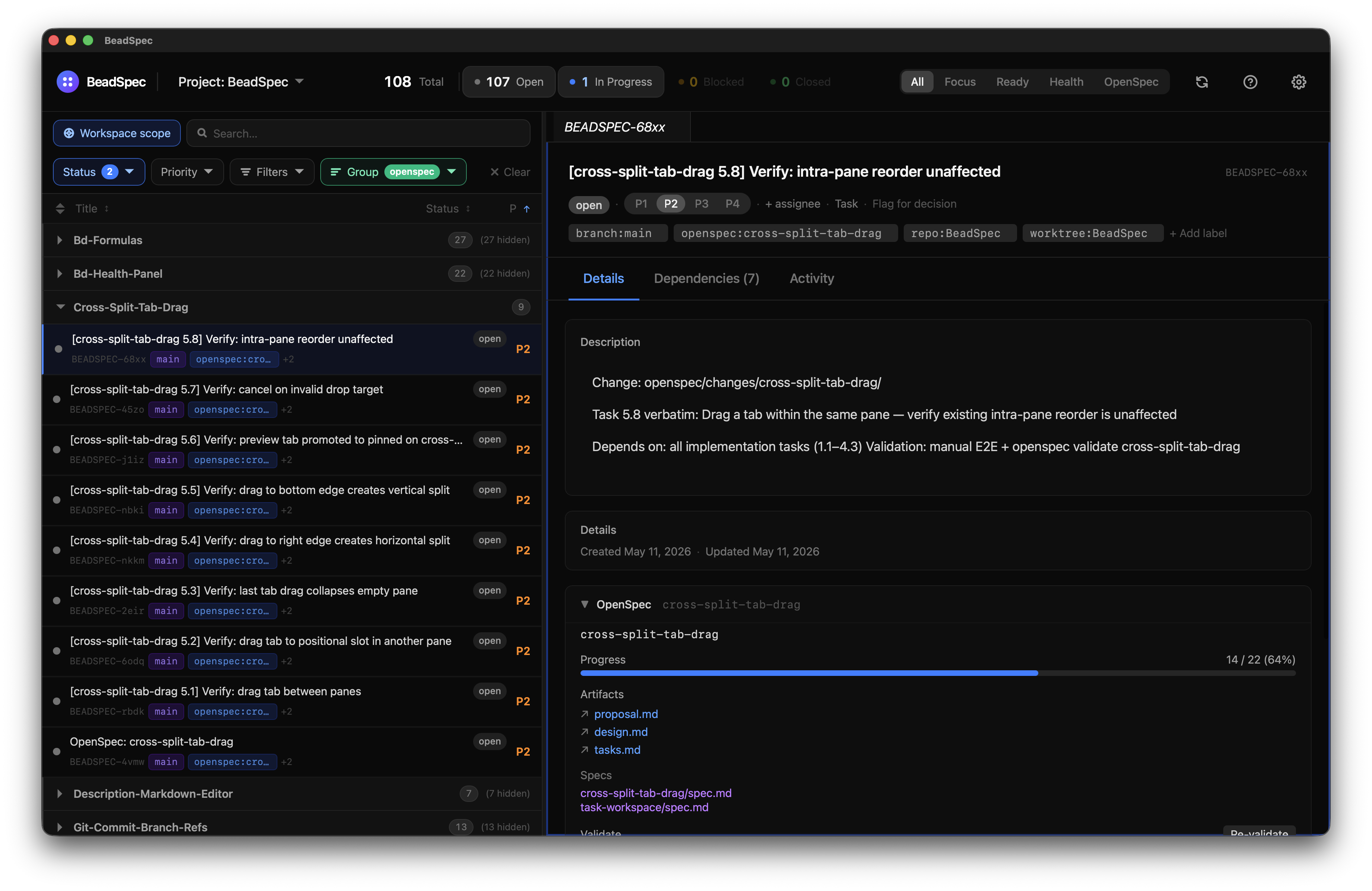
The task list is BeadSpec's primary view — a virtualized, filterable list of all issues in your Beads project.
Layout
The task list shows issues grouped by a configurable field (status, assignee, priority, or label). Each group shows a count and can be collapsed. Scroll performance is maintained via virtualization even with thousands of issues.
A KPI bar above the list shows live status counts (open, in progress, blocked, closed). Clicking a status chip applies a filter for that status.
Grouping
Use the Group by selector in the toolbar to change grouping. Common groupings:
- Status (default) — open, in progress, blocked, closed
- Assignee — see each person's workload
- Priority — P0 through P4
- Label — any label prefix (e.g.
type:*,scope:*)
Filtering
The filter bar accepts:
- Free text (searches title and description)
status:open,status:in_progress,status:blocked,status:closedassignee:usernamepriority:0throughpriority:4label:bug,label:enhancement, or any label value- Combinations:
status:open priority:0
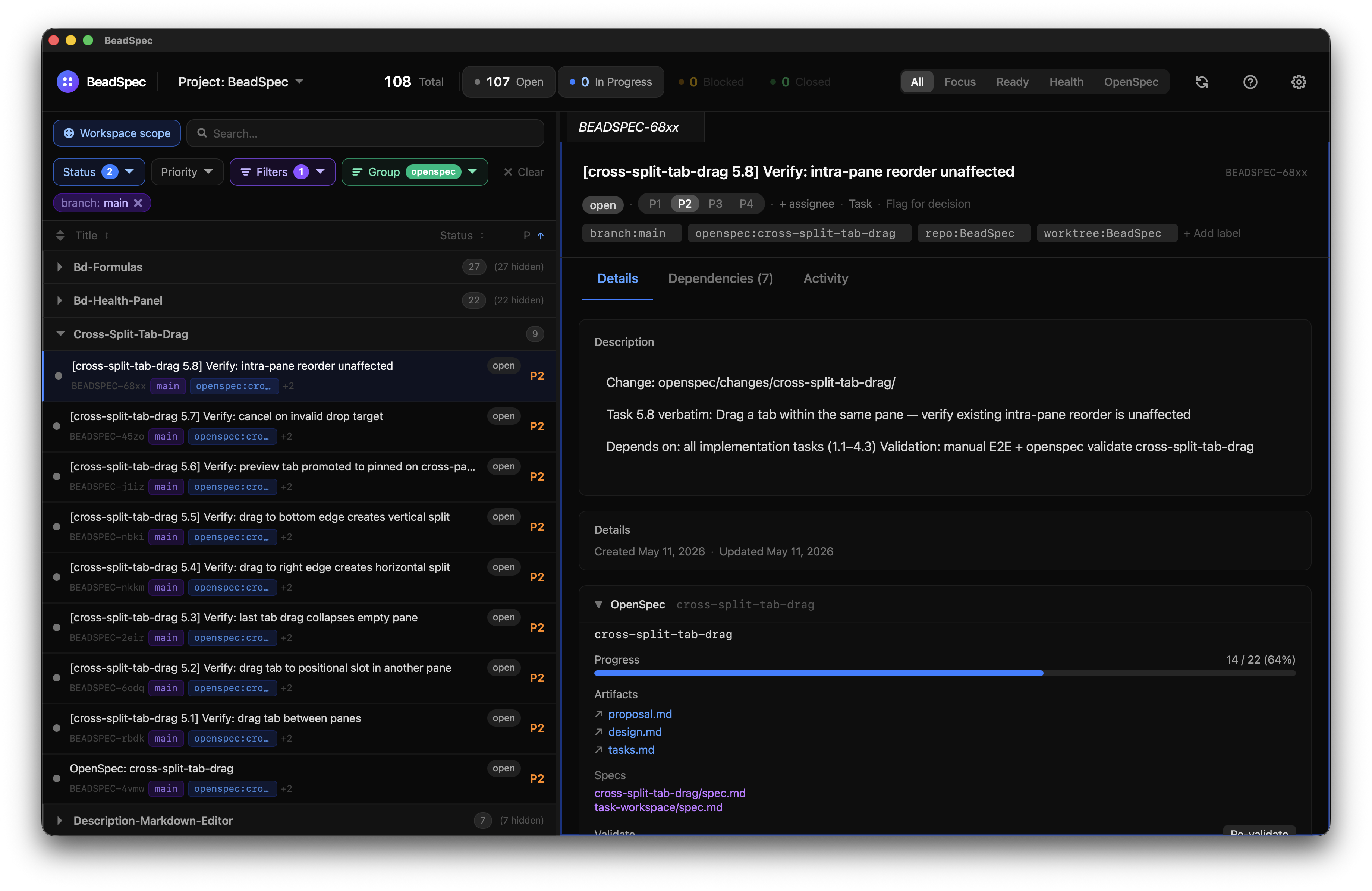
When the Ruflo integration is enabled, the filter bar also shows workspace context chips for the active branch:, worktree:, and repo:. Clicking a chip narrows the list to issues carrying that label. Quick Capture applies these labels automatically; issues created via bd create in a terminal can carry the same labels to stay visible in the right chip.
Bulk actions
Select multiple issues by checking their checkboxes. A bulk action toolbar appears with:
- Add label — apply a label to all selected issues at once
More bulk actions may be added in future releases.
Issue detail
Click any issue to open its detail panel as a tab. From the detail panel you can edit all fields inline. See Task Detail for the full breakdown.
Keyboard navigation
| Shortcut | Action |
|---|---|
↑ / ↓ | Move between issues (opens preview tab) |
J / K | Move selection down / up (Focus view) |
Enter | Pin selected issue as a tab |
N | New issue (when no input is focused) |
Space | Quick status change |
Escape | Close detail panel |
/ | Focus filter input |
See Keyboard Shortcuts for the full list.