
Settings
Open Settings via BeadSpec → Settings (macOS) or File → Settings (Windows/Linux), or press ⌘, / Ctrl+,.
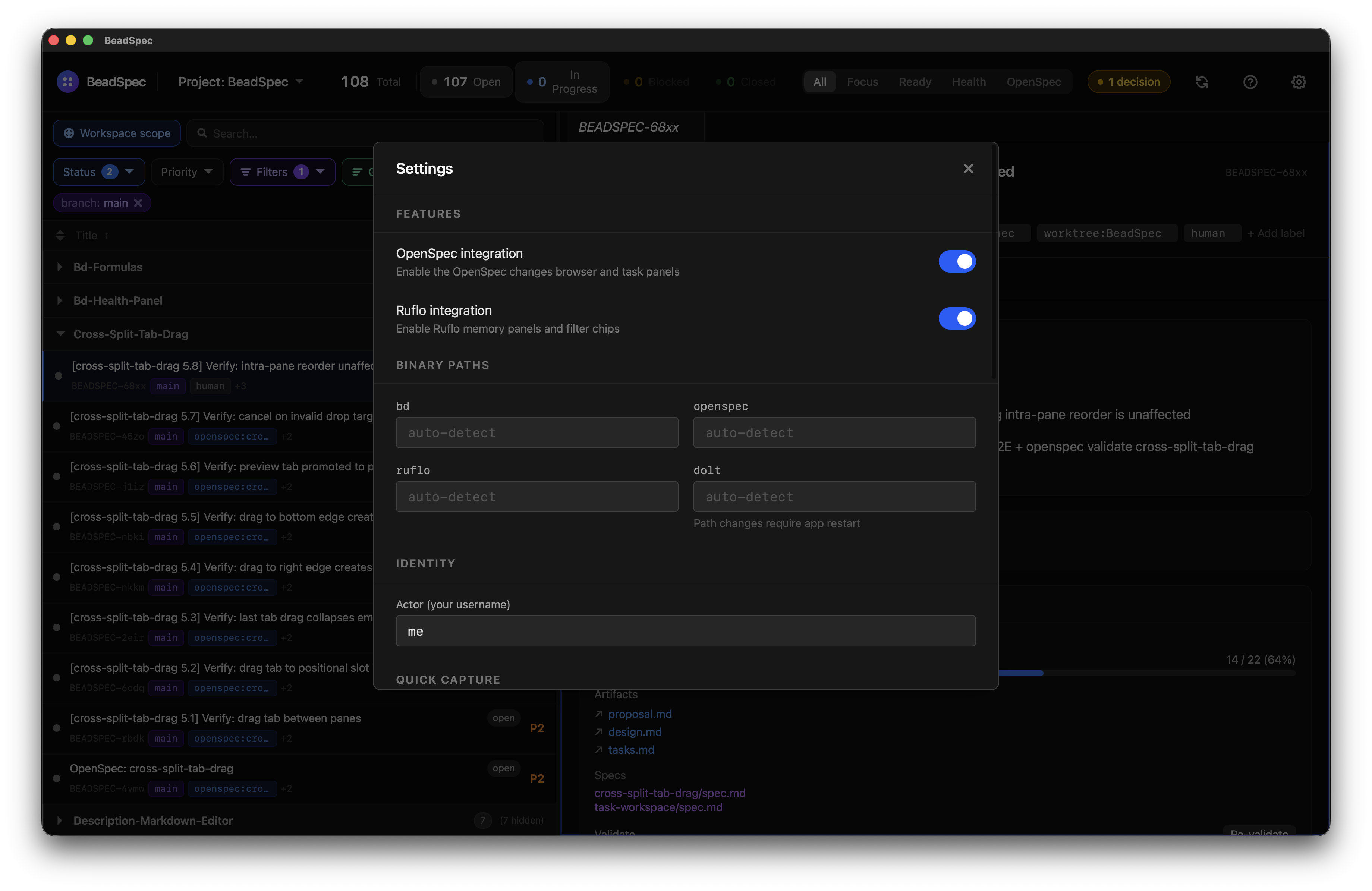
Features
Toggle optional integrations on or off. Changes take effect immediately.
| Setting | Description |
|---|---|
| OpenSpec integration | Enables the Changes view, OpenSpec doc tabs, and import/validate controls |
| Ruflo integration | Enables the Ruflo memory panel and Ruflo filter chips |
Both are enabled by default. If the corresponding binary is not found, BeadSpec degrades gracefully — see Integrations.
Binary Paths
Override the path BeadSpec uses to find each CLI tool. Leave blank to use auto-detection from PATH.
| Field | Notes |
|---|---|
bd | Required for all writes. BeadSpec shows a setup dialog if not found. |
openspec | Required for OpenSpec integration features. |
ruflo | Required for Ruflo integration features. |
dolt | Required for the Dolt SQL server. Changing this path requires an app restart. |
Click inside a field and type the full path (e.g. /usr/local/bin/bd).
Identity
| Setting | Description |
|---|---|
| Actor | Your username — used by the Focus view to show "your" tasks. Default: me. |
Set this to match your bd username so that Focus view filters correctly.
Quick Capture
| Setting | Description |
|---|---|
| Shortcut | The global keyboard shortcut for the Quick Capture window. Default: ⌘⇧N / Ctrl+Shift+N |
Type a new shortcut in the field and click away (or press Tab) to save it. If the shortcut conflicts with another app, a red error message will appear and the old shortcut will remain active.
Appearance
| Setting | Options | Description |
|---|---|---|
| Density | Compact / Default / Comfortable | Controls row height and spacing throughout the app |
| Zoom | 0.5x – 2.0x | Scales all UI text and elements |
Zoom can also be changed with ⌘+ / ⌘- / ⌘0 (macOS) or Ctrl+ / Ctrl- / Ctrl+0 (Windows/Linux).
Tooltips
| Setting | Description |
|---|---|
| Show tooltips | Enable or disable hover tooltips on icon buttons throughout the app |
| Hover delay | How long to hover before a tooltip appears: Instant, 250 ms, 500 ms (default), or 1 s |
Notifications
Configure which events trigger system notifications. See Notifications for details.
| Setting | Description |
|---|---|
| Global mute | Suppress all notifications |
| Task assigned | Notify when a task is assigned to you |
| Unblocked | Notify when a blocking dependency is resolved |
| Comments | Notify when someone comments on your tasks |