
OpenSpec Browser
Optional integration. Requires the
openspecCLI and Settings → Features → OpenSpec integration enabled. See Integrations.
The OpenSpec Browser lets you read and navigate OpenSpec change proposals and their linked Beads issues directly inside BeadSpec — without leaving the app or opening files manually.
What is OpenSpec?
OpenSpec is a structured specification workflow. Each feature change has:
- A proposal (
proposal.md) — the problem and context - A spec (
spec.md) — agreed behavior and acceptance criteria - A design (
design.md) — technical decisions - A tasks (
tasks.md) — implementation checklist linked to Beads issues
The openspec/ directory is committed to the repo alongside the source code, so specs and implementation stay in sync.
Opening the browser
Click the OpenSpec tab in the main navigation. This tab only appears when the OpenSpec integration is enabled in Settings → Features.
Navigating changes
The left panel lists all OpenSpec changes (in-flight and archived). Click a change to open its artifacts on the right.
The right panel shows:
- Status — which artifacts exist and whether the change is in-flight or archived
- Proposal — rendered Markdown of the proposal document
- Spec — rendered Markdown of the spec
- Tasks — checklist with real-time completion status (linked to Beads issues)
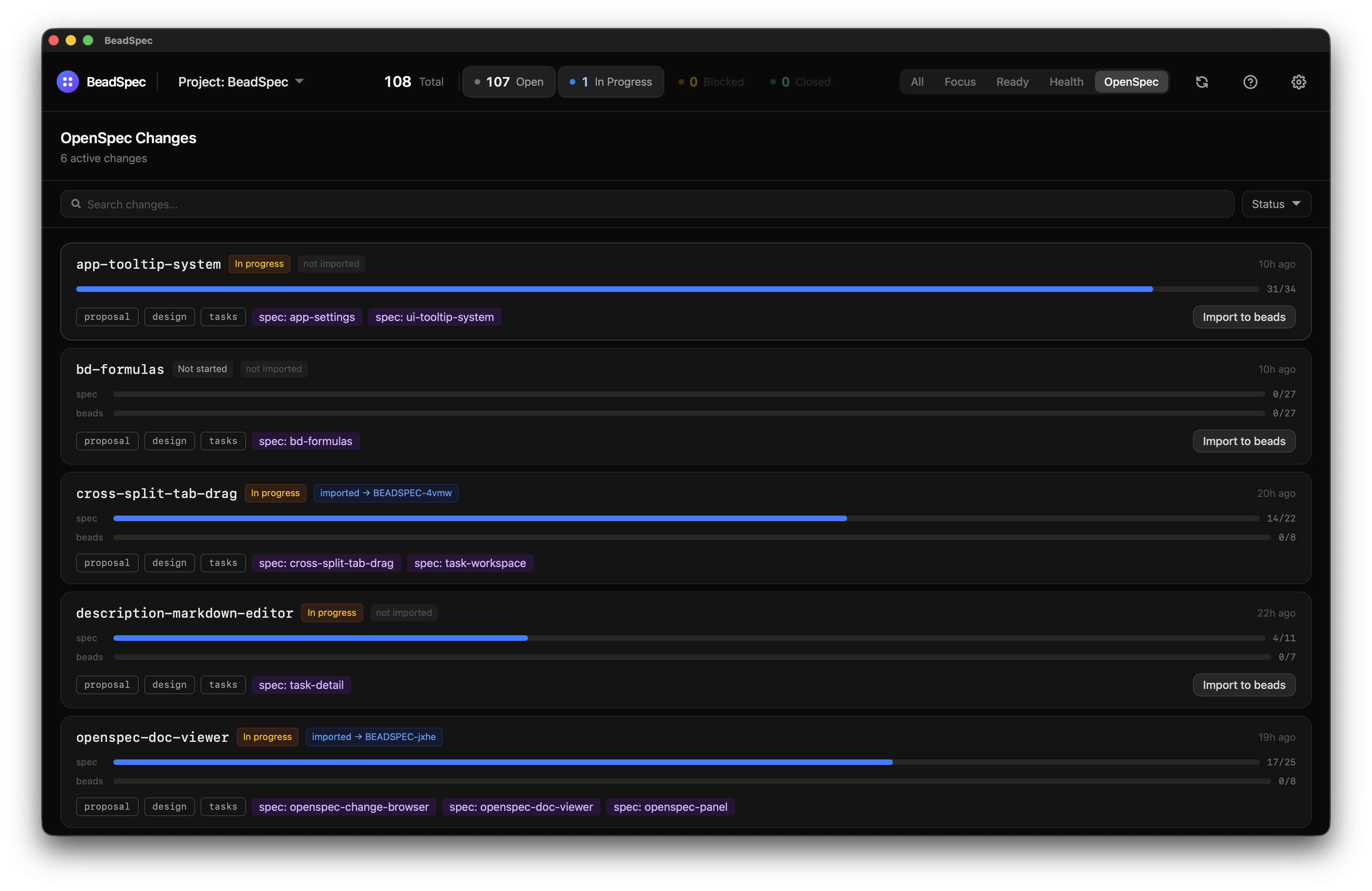
Artifacts can also be opened as doc tabs in the workspace — useful when you want to keep a spec visible while working on issues side-by-side.
Task completion status
Each task in tasks.md that is linked to a Beads issue (via beads:<id> reference) shows live status pulled from the database. You can see at a glance how much of a change is implemented.
How task progress is tracked
Issues imported via Import to Beads are automatically labelled openspec:<change-id>. The progress panel uses that label to find all related issues and compute completion percentages in real time.
If you create additional issues manually — follow-ups, sub-bugs, or split tasks discovered mid-implementation — apply the same openspec:<change-id> label (e.g. openspec:my-feature-rename) so those issues roll up into the progress view. Issues without the label are not counted.
Importing a change to Beads
Use the Import button on a change to create Beads issues from its tasks.md in one step. BeadSpec calls bd create for each task and links the created issues back to the change.
Validating a change
Click Validate to run openspec validate against a change and see the results inline.
Who this is for
The OpenSpec Browser is most useful for contributors and maintainers who use OpenSpec to spec features before implementing them. End users who are using BeadSpec purely for issue tracking and who have no openspec/ directory in their project can safely disable the OpenSpec integration in Settings.