
Human Decision Queue
BeadSpec integrates with bd's human decision queue — a mechanism for flagging issues that require a human decision before work can continue.
Flagging an issue
Open an issue and click the flag (⚑) button in the Details tab. This toggles the human label on the issue, which tells bd the issue is waiting for a human decision.
To remove the flag, click the button again.
The Human Queue chip
When any issues in the project are flagged for human decision, an amber decisions chip appears in the toolbar:
● N decisions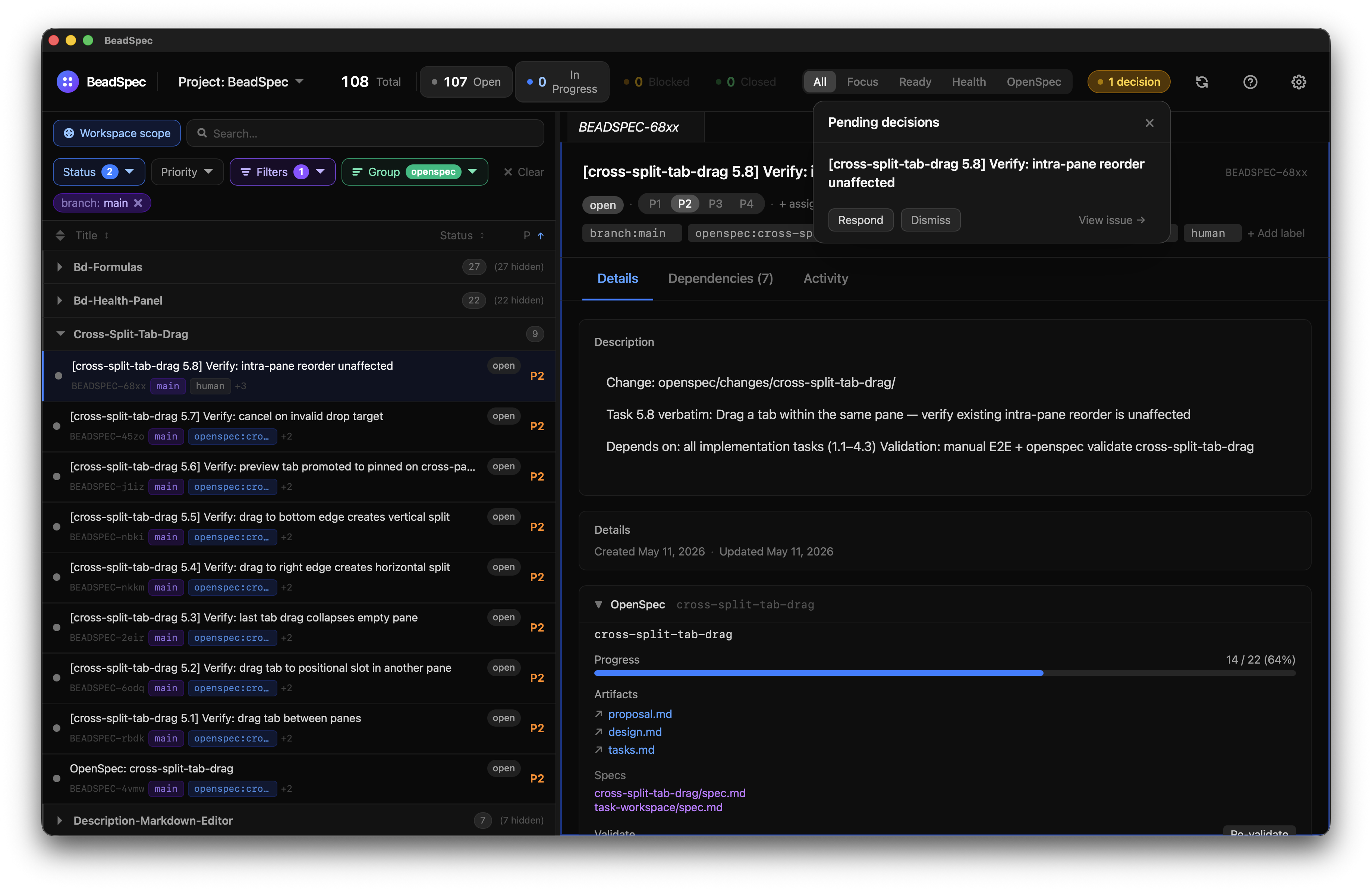
Click the chip to open a popover listing all flagged issues. From the popover you can:
- Click an issue to navigate to it
- Respond to a decision (calls
bd human respond) - Dismiss a decision (calls
bd human dismiss)
The chip disappears automatically when no issues are flagged.
CLI equivalent
This feature wraps bd human:
bash
bd human list         # list flagged issues
bd human respond <id> # respond to a decision
bd human dismiss <id> # dismiss a decision