
Task Detail
Click any issue in the task list to open its detail panel as a tab. The panel has three sub-tabs: Details, Dependencies, and Activity.
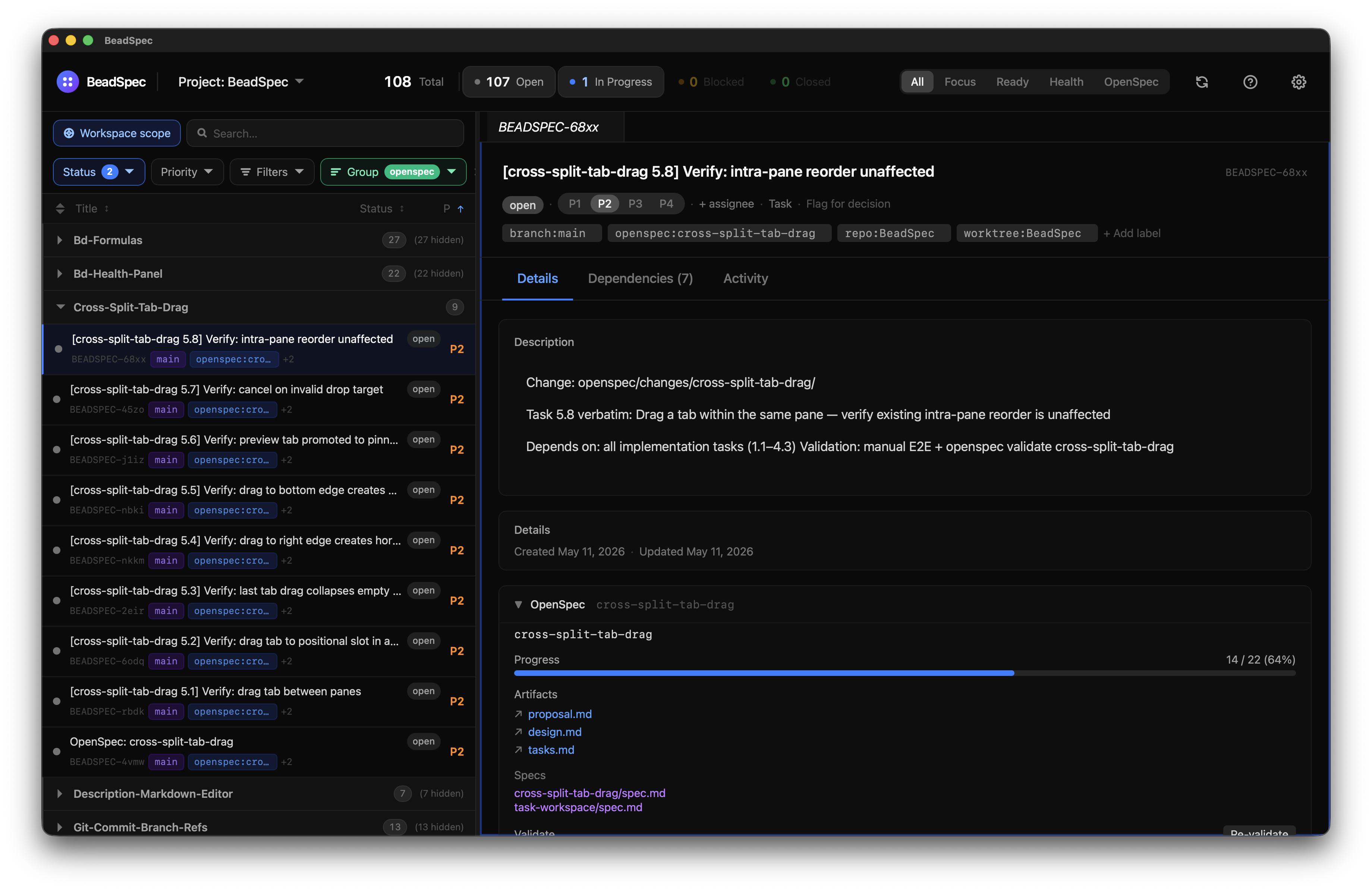
Details tab
All fields can be edited inline — no save button needed. Changes are sent to bd immediately.
| Field | How to edit |
|---|---|
| Title | Click the title text to edit inline |
| Status | Click the status badge → pick from dropdown |
| Priority | Click the priority indicator → pick P0–P4 |
| Assignee | Click the assignee field → type a username |
| Labels | Click + next to labels to add; click a label chip to remove |
| Description | Full rich-text Markdown editor (see below) |
Description editor
The description field is a full Markdown editor powered by TipTap. It supports:
- Headings, bold, italic, code, code blocks, lists, blockquotes
- Slash commands: type
/to open a command menu with formatting shortcuts - Task references: type
#or use the slash menu to embed a link to another Beads issue
Human decision flag
The flag for human decision button (⚑) toggles the human label on an issue. Flagged issues appear in the Human Queue chip in the toolbar.
Dependencies tab
Shows a visual dependency graph scoped to this issue and its related issues. From here you can:
- See which issues block this one and which issues this one blocks
- Click any node to navigate to that issue
- Press
Backspaceto go back
Activity tab
A chronological log of all changes to the issue:
- Status changes
- Field edits
- Comments added
- Label changes
Git history — each commit that references this issue's ID (e.g. BEADSPEC-042) is shown inline, with the commit message, author, and timestamp.
Dolt revisions — each Dolt commit that touched this issue's row is shown, letting you see the exact before/after of every field change, even ones not captured in comments.
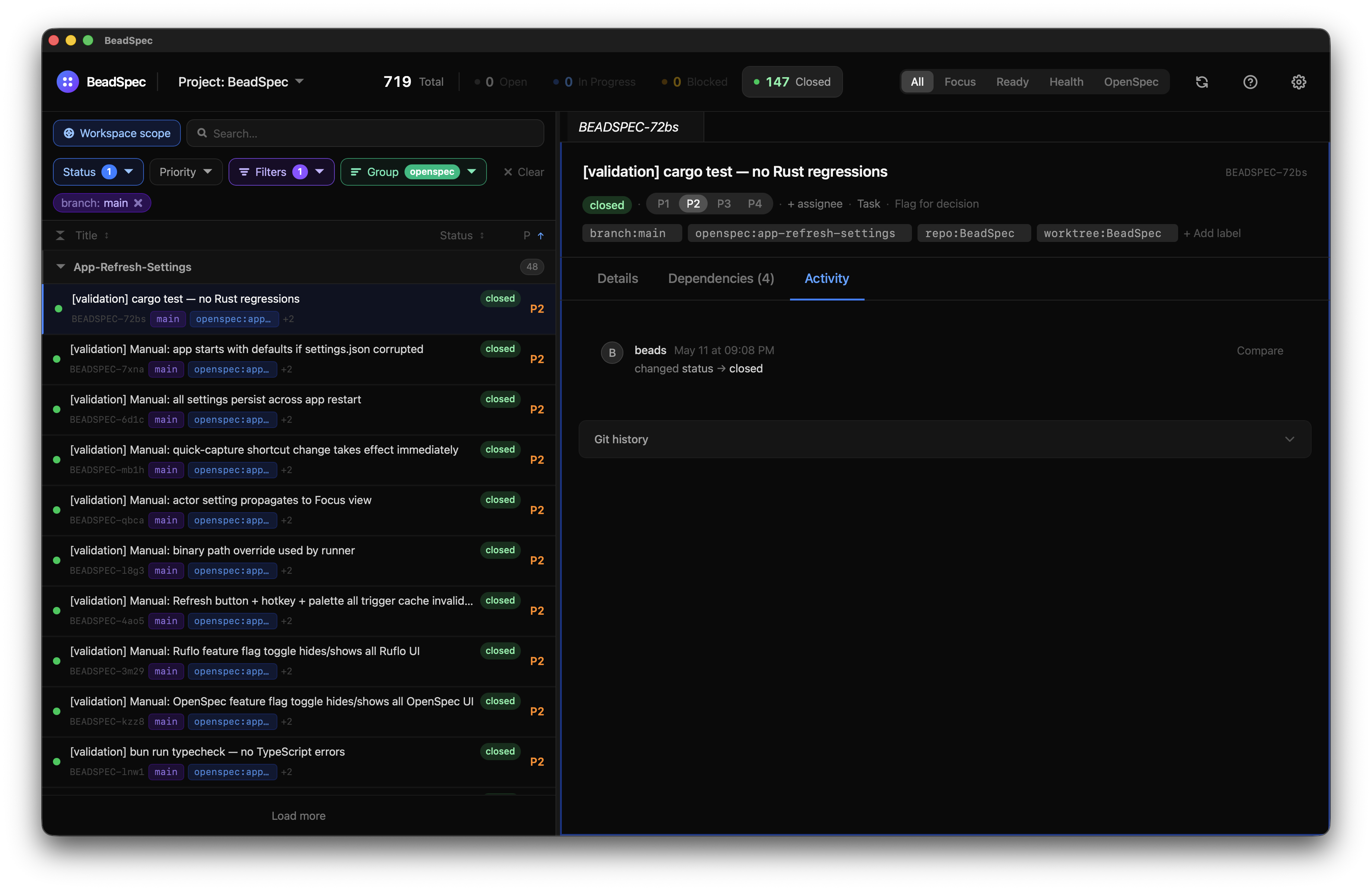
Adding a comment
Type in the comment box at the bottom of the Activity tab and press Enter (or click Add). Comments are written via bd and appear in the activity timeline immediately.